
Bandmixr is now a plugin in ChatGPT. Install it once and ChatGPT can check your song, mix your stems and master the result. The Bandmixr studio opens right in the chat whenever there is something to see or hear: the report, the uploads, the label check and the player.
Bandmixr works on recordings you made yourself. It balances, processes and masters your audio.
What the plugin adds to ChatGPT
The plugin splits the work. Bandmixr does the mixing and mastering. ChatGPT does the talking: it sets up your song, passes on what you want changed and explains the results in plain words.
For example, ask "is this loud enough for Spotify?" or "why does my mix sound thin?" the way you would ask a friend who mixes. When you know what you want, ask for it in the same chat.
Install the Bandmixr plugin in ChatGPT
- Open Bandmixr in ChatGPT's plugin directory and select Install plugin. You can also open Plugins in the ChatGPT sidebar and search for Bandmixr.
- Start a new chat and ask: "Check my mix before I release it." ChatGPT uses installed plugins on its own when they fit. To make sure it picks Bandmixr, start your message with @Bandmixr.
- Checking a song works without an account. Mixing stems and mastering a whole song need one: when ChatGPT asks you to connect Bandmixr, you sign in on bandmixr.com and allow access once.
One habit to learn early: drop your files into the Bandmixr studio, not into ChatGPT's message box. The studio sends them straight to Bandmixr. A file attached to a chat message goes to ChatGPT instead, and Bandmixr cannot use it.
Check your mix in ChatGPT, no account needed
Ask ChatGPT to check your mix and the studio opens with a drop area. Drop in the finished song as WAV, AIFF, FLAC or MP3.
Bandmixr measures it in your browser: loudness, true peak, clipping, mono compatibility, phase, stereo field, and the tonal balance across seven frequency ranges compared with typical releases in your genre. Every result gets a plain verdict.
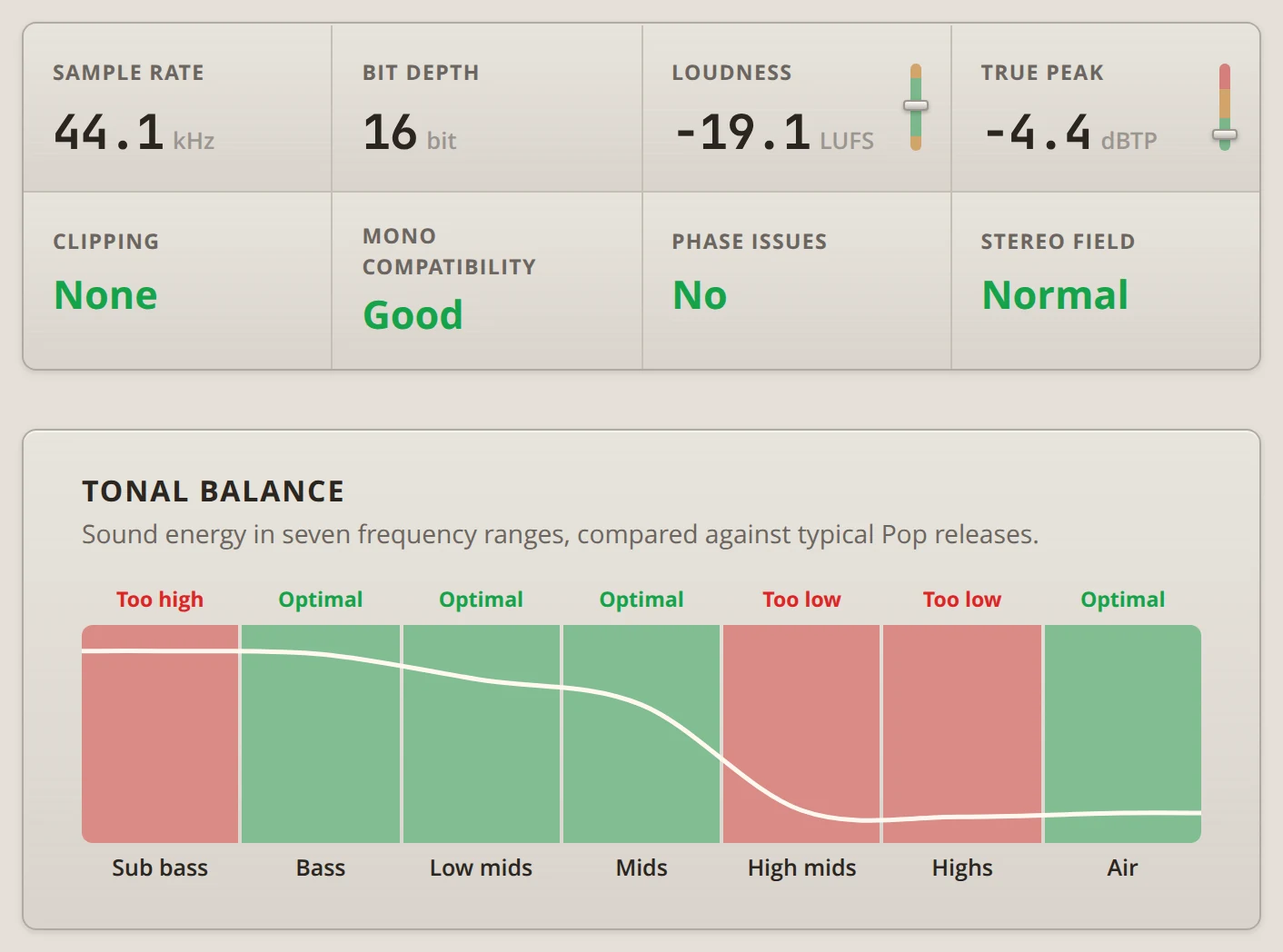
Here is how to read the example above. At -19.1 LUFS the demo mix is far quieter than a release, which is normal before mastering. The tonal balance says more: too much sub bass, too little in the high mids and highs. Next to other pop songs it will sound boomy and dull.
Mastering brings up the loudness and evens out the tonal balance of the whole song. When the balance is far off, though, the cause usually sits in one or two stems, like a bass that booms or a vocal without any air. A mix from stems fixes those at the source. Why Your Band's Mix Sounds Muddy goes through the usual suspects.
The check also plays a 30-second mastered preview of the loudest part of your song. Switch between Before and After to compare. Only that clip goes to Bandmixr. The rest of the song stays on your device.
Master a finished song
To master the whole song, press Get full track in the preview, or ask: "Master my song for Spotify." This step needs your Bandmixr account.
Bandmixr masters in three styles. Streaming keeps the most dynamics, Standard is louder and the usual choice, and Loud is for songs that have to hit as hard as possible. Name the one you want, and ask for another later if it does not feel right: "Make a louder master." Pick Your Master Loudness helps you decide.
Mix your band's stems in ChatGPT
Tell ChatGPT what the song is: "Mix my stems. It's an indie rock song with drums, bass, two guitars and vocals." ChatGPT creates the song with that genre, and the studio opens with an upload box. You can change the genre there.
Drop in every stem, all exported from the start of the song so they stay in time. How to Export Stems shows the settings for Logic, Ableton, FL Studio, Reaper and GarageBand. Recorded the band live in one room? Each mic is a stem, and some bleed between them is normal. How to Mix a Live Band Recording covers what to expect.
Bandmixr guesses what is on each stem from its file name and shows the label it picked. Labels decide how each stem is mixed, so check them. "Gtr L" is recognized as a guitar, while "Audio 07" lands on Other. For a band, look at these first:
- Guitars: a file name rarely says whether a guitar is clean or distorted, so check every guitar label. A crunchy rhythm guitar should not be mixed like a clean one.
- Drums: Kick, Snare, Hihat, Toms, Overheads and Room Mics each get their own treatment. A whole kit on one stereo stem goes on Drum Bus.
- Vocals: the lead on Vocal Lead, harmonies and doubles on Vocal Backing.
Play any stem you are not sure about and pick the right label from the list, or tell ChatGPT: "Both Gtr files are distorted guitars, and Vox 2 is a backing vocal." When everything is right, press Labels are correct. Only you can confirm the labels, so the mix waits for that tap.
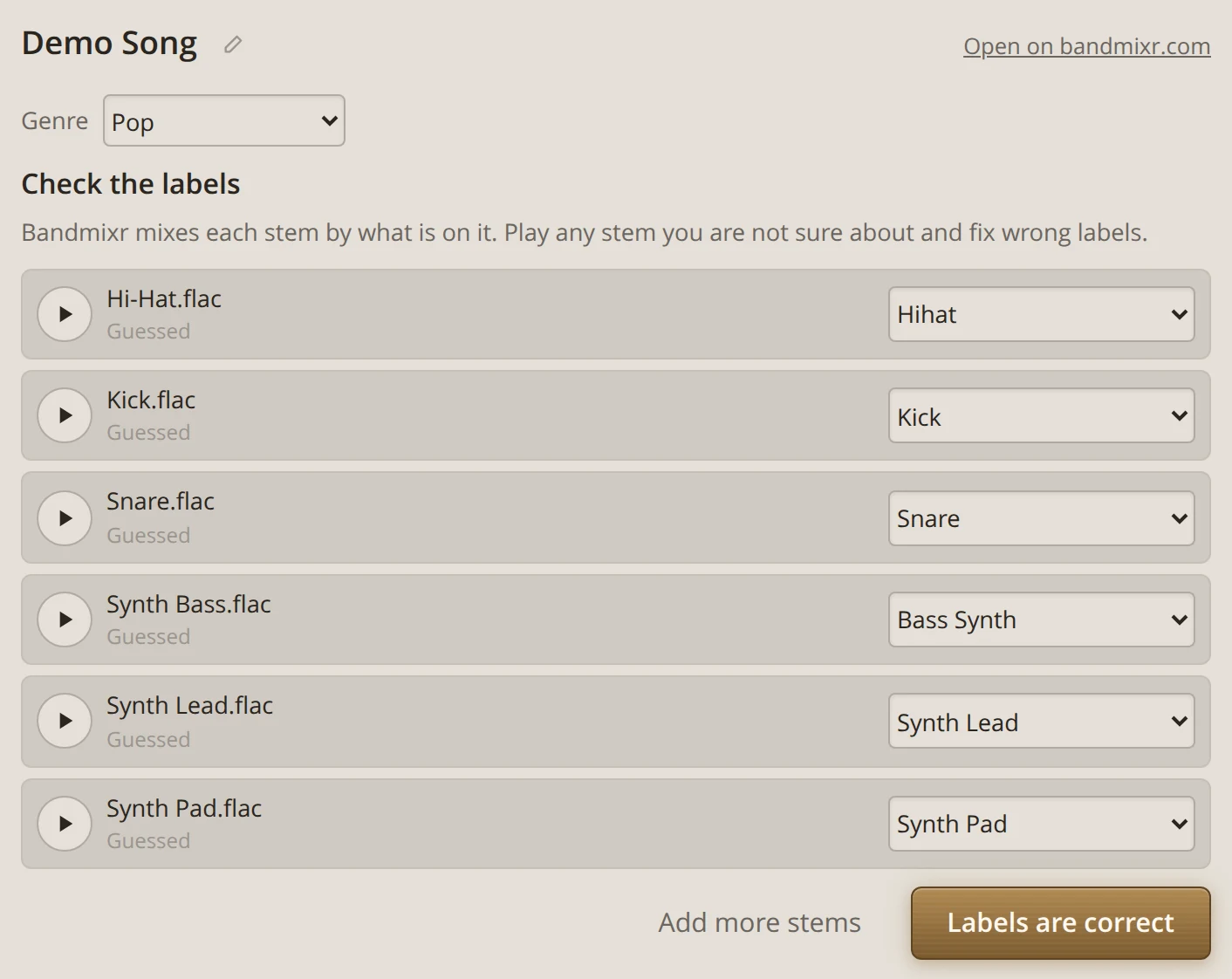
The draft, the final mix and the master then run on their own, and the studio shows the progress. When they are done, switch between Original, Mix and Master to hear what changed.
Change the mix by asking
Listen, then talk about it the way you would at a band playback: "Bass up a little, less reverb on the snare, second guitar further right, mute the tambourine." Bandmixr makes the mix and the master again with your changes.
To do it by hand, press Change the mix in the studio. Every stem gets a volume slider, a mute button, and settings for reverb and pan. Press Apply changes when you are done, or Back to Bandmixr's balance to return to Bandmixr's own mix.
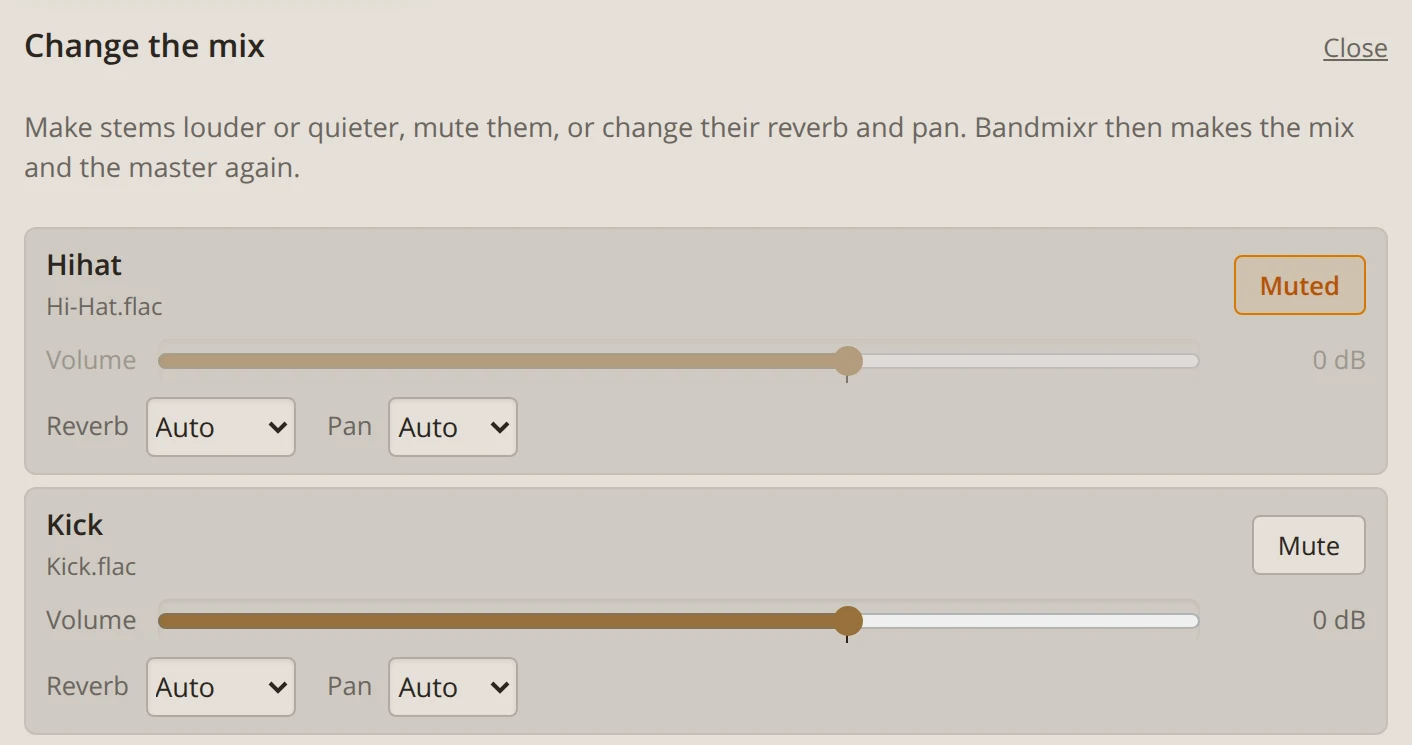
The new version replaces the one made earlier in the chat. Files you already downloaded stay as they are.
Before you download, listen somewhere other than your desk. The studio also opens in the ChatGPT app on your phone, so the earbud test and the car test take a minute each.
Download your mix and master
Downloads happen on bandmixr.com. Download on bandmixr.com in the studio opens the song's page, where you download the mix and the master. Your first song is free.
What ChatGPT sees and what it does not
ChatGPT sees song titles, stem file names and labels, the progress of your mixes and the numbers from the check. It never gets your audio, because the studio sends your files straight to Bandmixr. And Bandmixr never uses your music to train AI.
Start mixing in ChatGPT
Install Bandmixr in ChatGPT, ask it to check your mix and drop in your song. The help page has more things to ask. Bandmixr also works in Claude, and everything runs on bandmixr.com if you prefer the website.