
AI Mixing in Claude: How to Mix and Master Your Song
Bandmixr is an AI mixing and mastering service, and it now works inside Claude. Once you connect it, Claude opens the Bandmixr studio right in the chat. Drop in a finished song to check it, upload your stems to get a mix and a master, and tell Claude what to change after you listen.
Bandmixr works on recordings you made yourself. It balances, processes and masters your audio.
Why mix inside Claude
Most people can say what their mix needs long before they know which knob does it. In Claude, that sentence is enough: "vocals a bit louder" turns the vocals up, "less reverb on the ad-libs" dries them out. The check, the mix and the master stay in one conversation, so comparing versions never means switching apps.
Connect Bandmixr to Claude
- Open Bandmixr in the Claude directory and connect it.
- In a new chat, ask: "Check my mix before I release it." The first time Claude uses a Bandmixr tool, it asks for your permission.
- Checking a song needs no account. When you ask for something that does, like mixing stems or mastering a whole song, Claude asks you to connect your Bandmixr account. You sign in on bandmixr.com and allow access once.
Your song or stems can be WAV, AIFF, FLAC or MP3. WAV, FLAC or MP3? explains which one to pick.
Check your mix in Claude, no account needed
Ask Claude to check your mix and the studio opens with a drop area. Drop in the finished song.
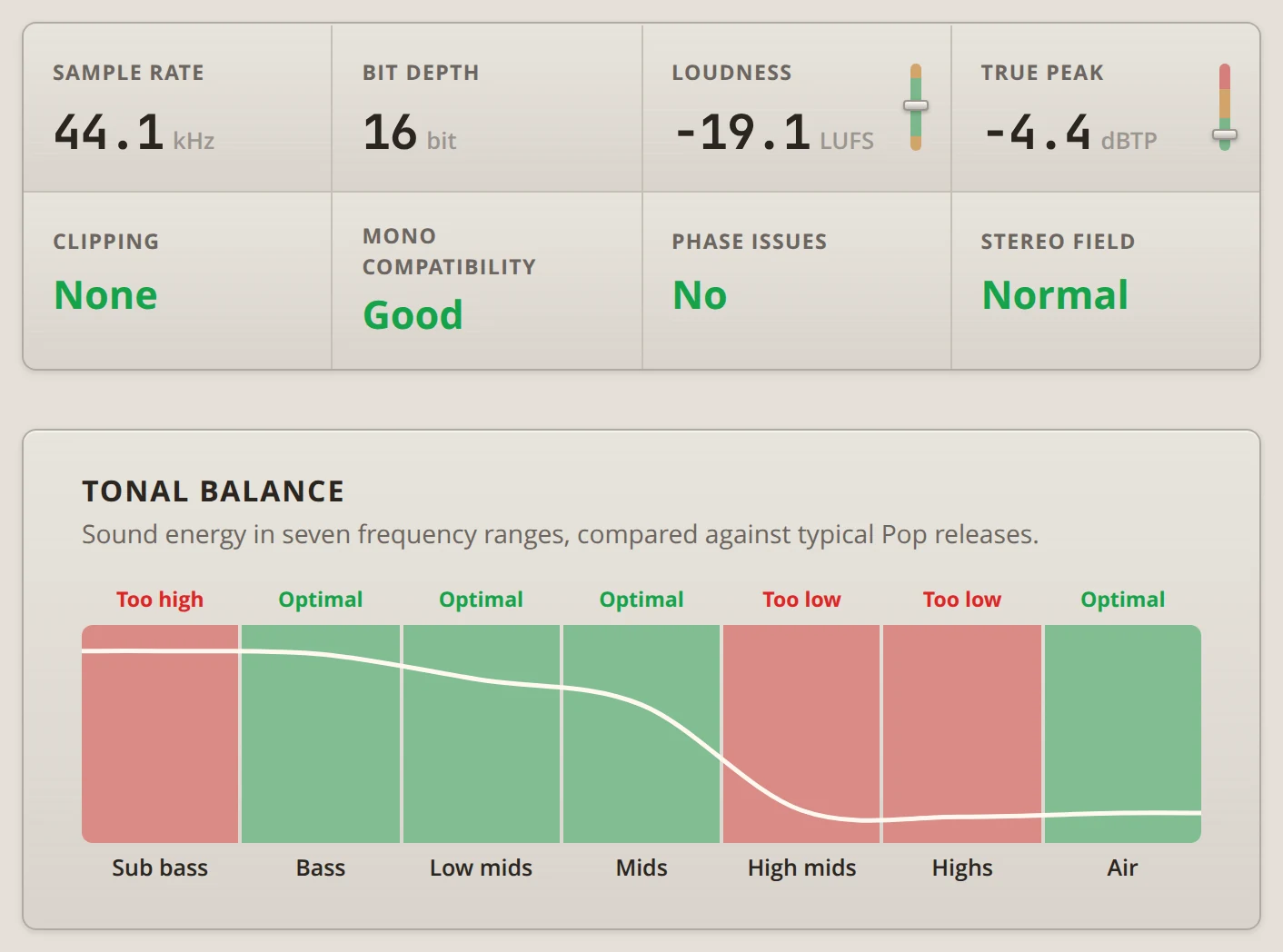
Bandmixr measures it in your browser: loudness, true peak, clipping, mono compatibility, phase, stereo field, and the tonal balance across seven frequency ranges compared with typical releases in your genre. Every result gets a plain verdict, so you see right away what needs work.
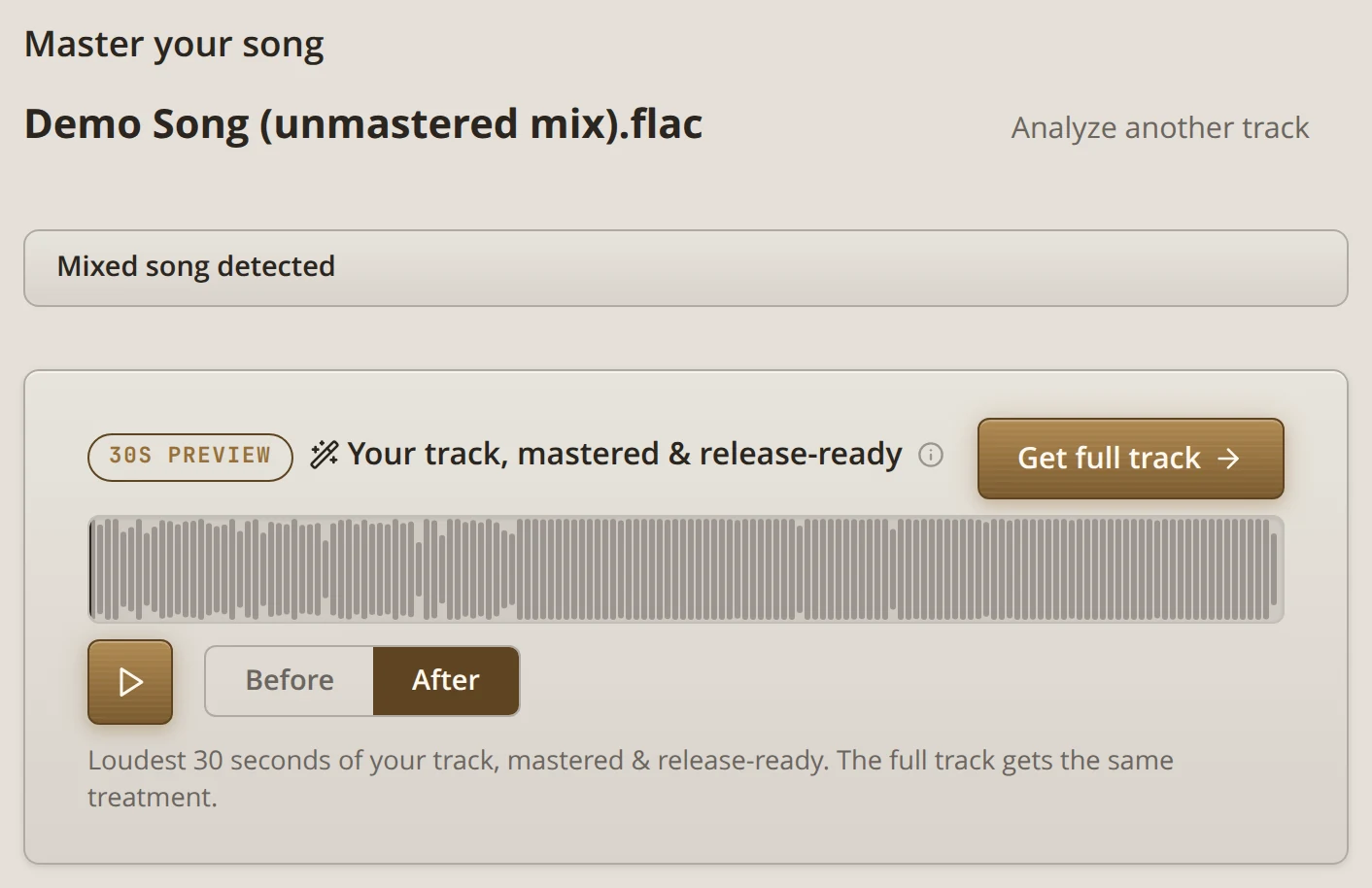
Then you hear a 30-second mastered preview of the loudest part of your song. Switch between Before and After to compare. Only that 30-second clip goes to Bandmixr; the rest of the song stays on your device. The same check runs on the website as the free Mix Analyzer.
Master the whole song
To master the whole song, press Get full track or ask: "Master my song for Spotify." This step needs your Bandmixr account.
Say which style you want. Streaming keeps the most dynamics, Standard is louder and the usual choice, and Loud is for songs that have to hit as hard as possible. Pick Your Master Loudness helps you decide, and you can ask for another style later: "Make a louder master."
Mix your stems in Claude: a beat and your vocals
Tell Claude what the song is: "Mix my stems. It's a trap beat with my vocals." Claude creates the song with the genre you name, and the studio opens with an upload box. You can change the genre there.
Drop in the beat and every vocal stem: the lead, the doubles, the ad-libs. Export every stem from the start of the song so they stay in time. How Many Stems for Mixing? helps if you are not sure how to split them.
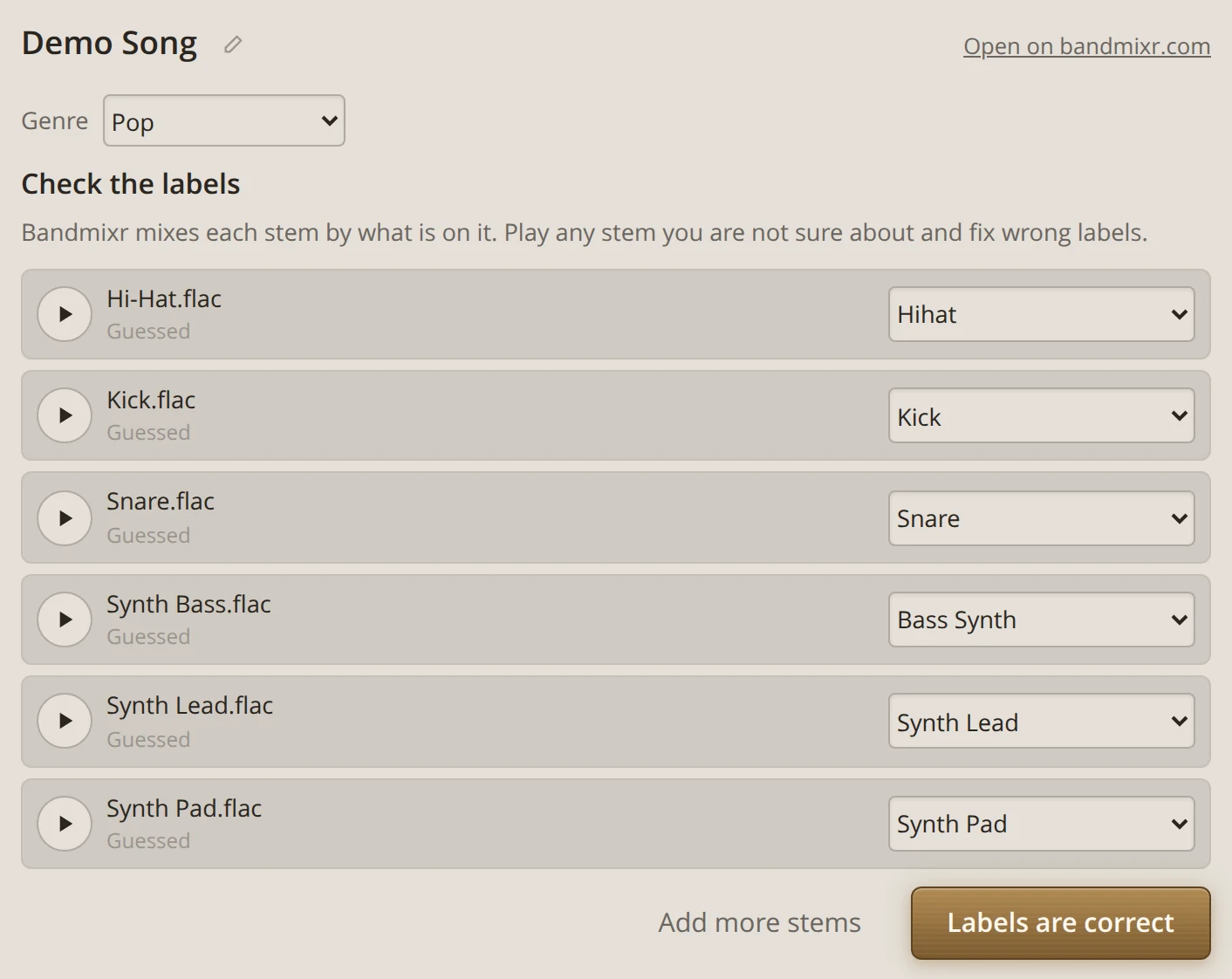
Bandmixr guesses what is on each stem and shows the label it picked. Labels decide how each stem is mixed, so check them:
- Play any stem you are not sure about and pick the right label from the list.
- Or tell Claude in plain words: "Take 3 is my lead vocal, the two Dbl files are doubles."
- For a rap song, put the main take on Vocal Rap or Vocal Lead, and doubles, ad-libs and hook stacks on Vocal Backing. A finished beat goes on Instrumental / Beat. It stays the way the producer made it, and the vocals are mixed around it.
When everything is right, press Labels are correct. Only you can confirm the labels, so the mix waits for that tap.
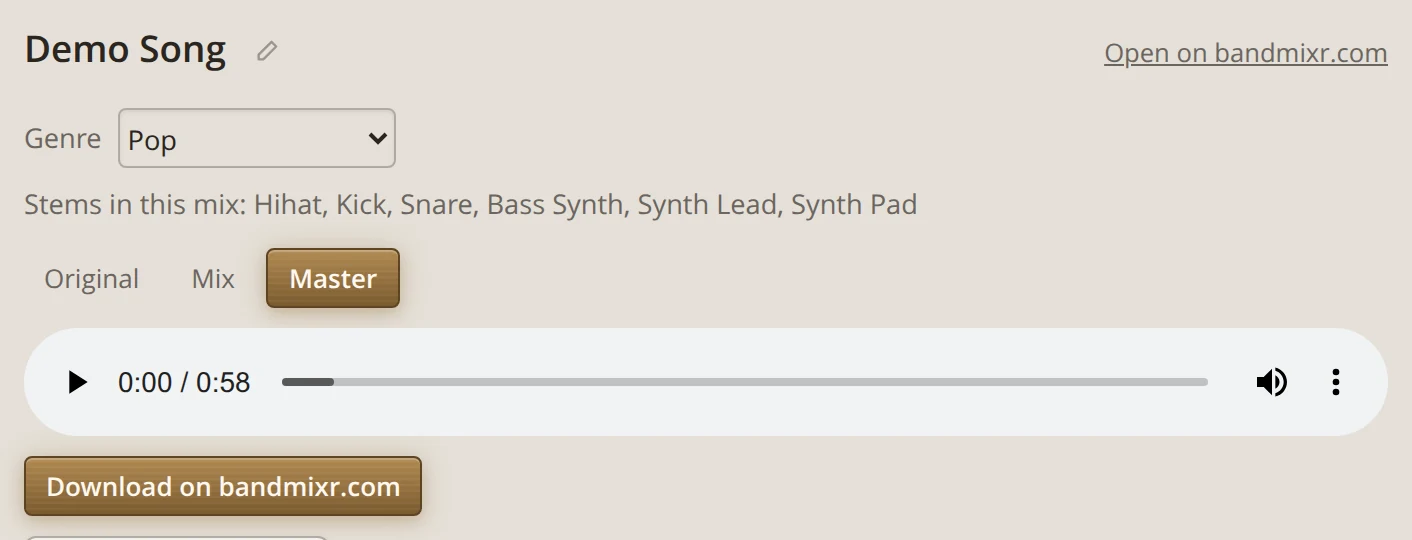
The draft, the final mix and the master then run by themselves, and the studio shows the progress. When they are done, switch between Original, Mix and Master to hear what changed. How to Mix Vocals Over a Beat You Bought explains what a good mix does with a beat and vocals.
Change the mix by asking
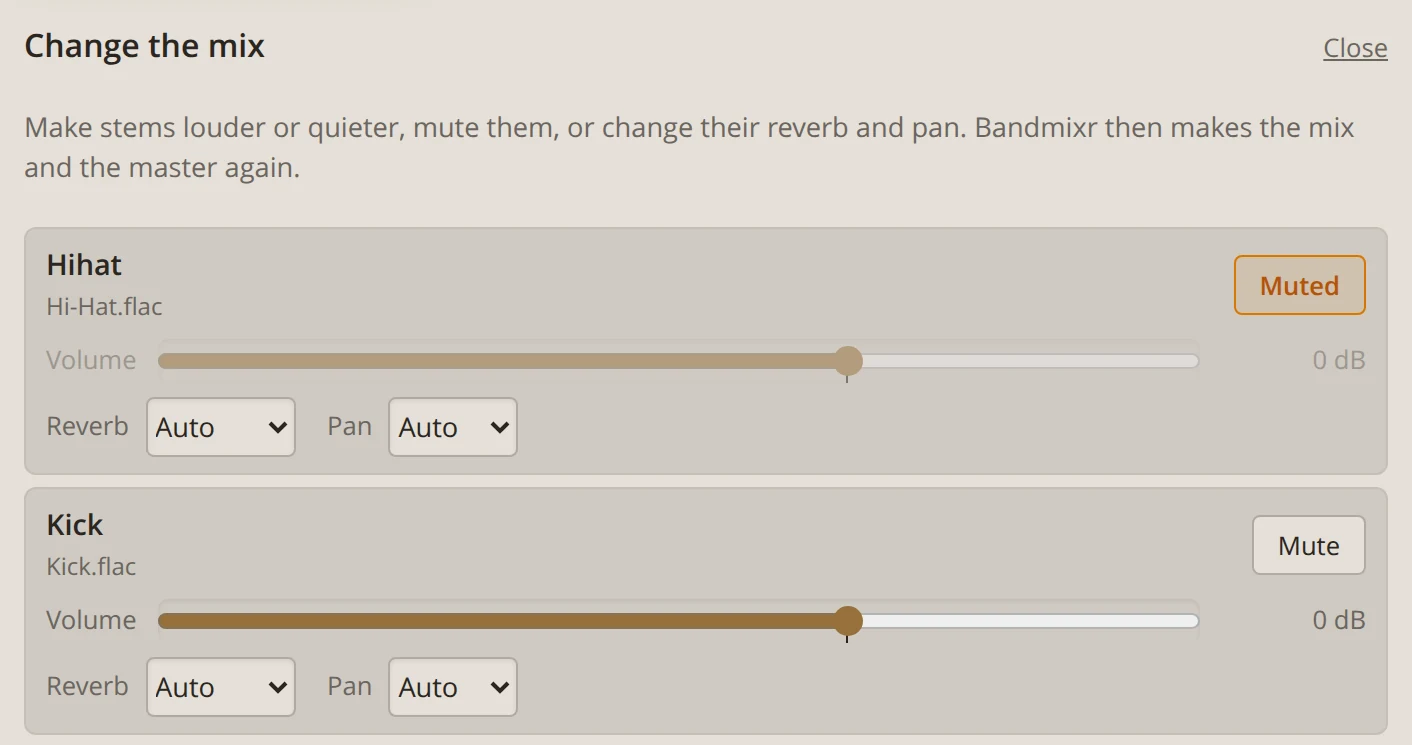
Listen, then say what should be different, the way you would tell an engineer: "Vocals a bit louder, less reverb on the ad-libs, mute the shaker." Bandmixr makes the mix and the master again with your changes.
To set it yourself, press Change the mix in the studio. Every stem gets a volume slider, a mute button, and settings for reverb and pan. Press Apply changes when you are done, or Back to Bandmixr's balance to return to Bandmixr's own mix.
The new version replaces the earlier one made in the chat. Files you already downloaded stay as they are.
Download your mix and master
Downloads happen on bandmixr.com. Download on bandmixr.com in the studio opens the song's page, where you download the mix and the master.
What Claude sees and what it does not
Claude sees song titles, stem file names and labels, the progress of your mixes and the measurements from the check. It never gets your audio: the studio sends your files straight to Bandmixr.
Start mixing in Claude
Open Bandmixr in Claude, ask it to check your mix and drop in your song. The help page has more things to ask. The check, the mix and the master also work on bandmixr.com if you prefer the website.