
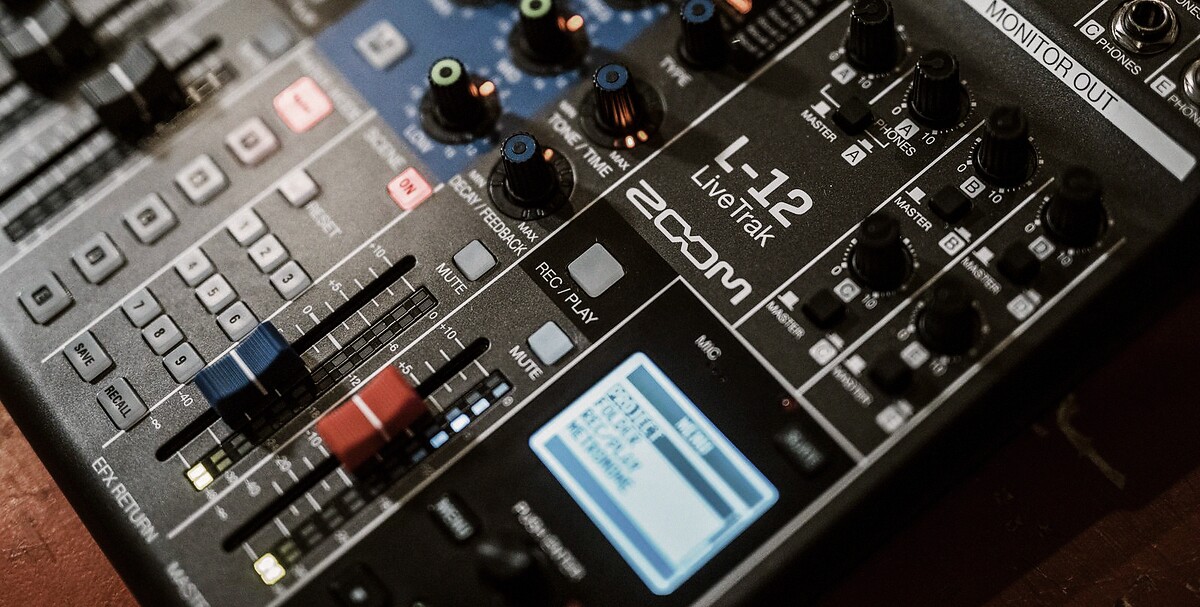
Zoom's LiveTrak line has quietly become the most important piece of gear in DIY band recording. The L6max, the L12next, the older L12 and L20R. A mixer, a multitrack recorder, and a USB interface in one box that fits in a gig bag. Plug in, hit record, walk away with clean separated stems.
The problem is what happens next.
You import the session onto your laptop, open the folder, and stare at 12 WAV files. Kick, snare, overheads, bass DI, bass mic, two guitar amps, three vocal mics, room. Every one of them is clean. Every one of them needs processing. And none of them sound like a finished track on their own.
This is the wall most LiveTrak sessions hit. The recording is done. The mixing is not. And for most bands, that gap is where the project quietly dies.
The DAW problem
The standard advice is to open your stems in Logic, Reaper, Cubase, or Pro Tools and mix them. That advice assumes you already know how to mix. If you do, great. If you don't, you're looking at months of YouTube tutorials, plugin chains you don't understand, and reference tracks you can't match.
The reality: most bands who buy a LiveTrak are not engineers. They bought it because it made capturing a rehearsal or a live show simple. They want the same simplicity on the mixing side. DAWs do not offer that.
What you actually have
A LiveTrak session gives you exactly what a good mixing workflow needs:
- Separated stems. Each instrument on its own track, no bleed between channels beyond what the mics naturally pick up.
- Clean gain staging. Zoom preamps are honest. Most LiveTrak recordings come in at healthy levels without clipping.
- Consistent sample rate. 44.1 or 48 kHz, 24-bit, WAV. Standard multitrack format, ready to drop into any mixing tool.
In other words, you already did the hard part. The stems are mixable. You just need something to mix them.
The shortcut
Upload your LiveTrak stems to Bandmixr. Pick your genre. Wait a few minutes. You get back a finished mix with EQ, compression, panning, reverb, and level balancing already applied. No faders to fight with. No plugin chains to build. No reference tracks to match by ear.
That is the entire workflow. Export the stems from your LiveTrak, drag them into Bandmixr, hit mix.
What to do before uploading
A few things make a LiveTrak session mix better, regardless of what you use to mix it:
- Label your tracks properly on the LiveTrak itself. Name them Kick, Snare, OH_L, OH_R, Bass, GTR1, GTR2, Vox, Room. Bandmixr uses track names to identify instruments.
- Export as WAV, not MP3. LiveTraks record to WAV natively. Do not re-encode to save space. Raw WAV preserves the full dynamic range the mixing engine needs.
- Trim silence at the start and end. Not required, but it keeps the mix engine from wasting time analyzing empty space.
- Upload all stems from the same take. Do not mix stems from different performances into one session. The analysis assumes every track is playing the same song at the same time.
Where LiveTrak sessions shine
Certain LiveTrak recordings translate to Bandmixr better than others:
- Rehearsal takes in a treated or semi-treated room with close mics on drums, guitar amps, and vocals. The best possible input. Almost always produces a clean mix.
- Live show multitracks captured front-of-house with dedicated board feeds. Less polished than studio tracks but full of energy. Usually comes out sounding like a live album.
- Jam sessions where you just want to hear what you sounded like. Great for preserving ideas you would otherwise forget.
- Worship team recordings with a full band and multiple vocals. One of the most common LiveTrak use cases and a near-perfect match for automated mixing.
The bigger picture
Zoom is crushing the capture side of DIY recording right now. The LiveTrak line solves a problem that used to require a studio, a laptop, a multichannel interface, and an engineer. Now it is one box and a USB cable.
Getting those sessions to a finished mix should not require becoming an engineer. It should take minutes, not months. That is exactly what Bandmixr is built for.
If you already own a LiveTrak and have a folder of unfinished sessions on your laptop, upload one. The first mix is free. See what comes back.